For creators
In one line: Ink & Word is a study Bible you can write in: a free Bible journaling app with wide margins for notes, drawings and hand-lettering, and study aids built in, for iPad, iPhone, Android, Windows, Mac and Linux.
Why it's easy to recommend: it costs your audience nothing and has nothing to upsell. No ads, no subscription, no account. It's non-profit.
The film (30 seconds)
Download the film (MP4, 3 MB) · its poster. Music: "Heartwarming" by Kevin MacLeod (incompetech.com), CC BY 4.0: please keep that credit if you use the film's sound.
Screenshots
Tap one to download it.
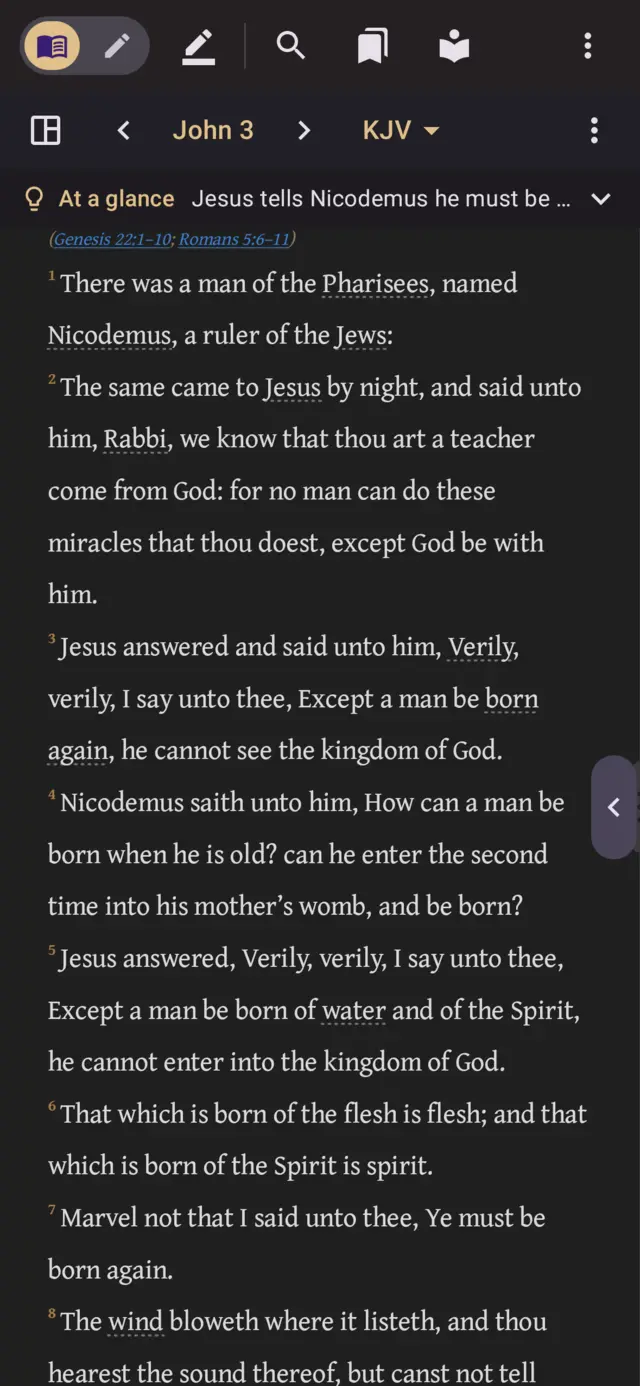 Reading on a phone, with names and places underlined
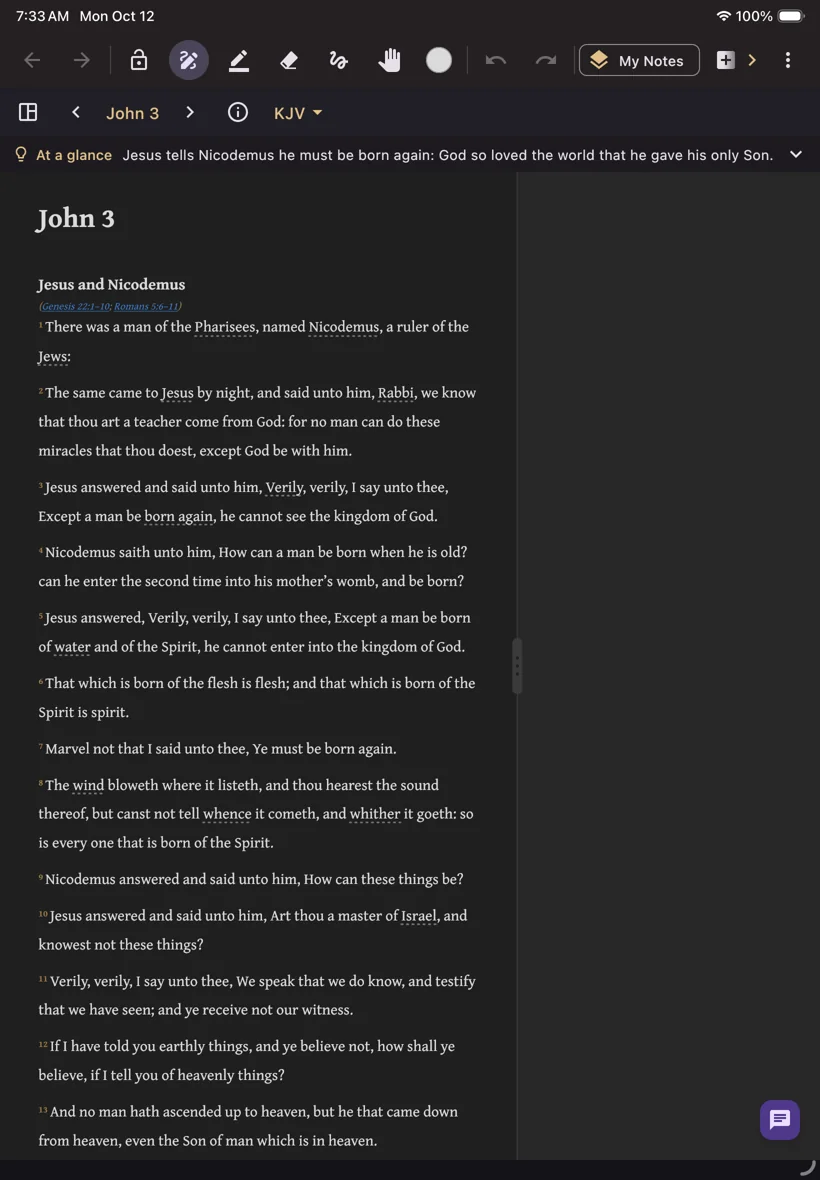 Writing in the margins on an iPad
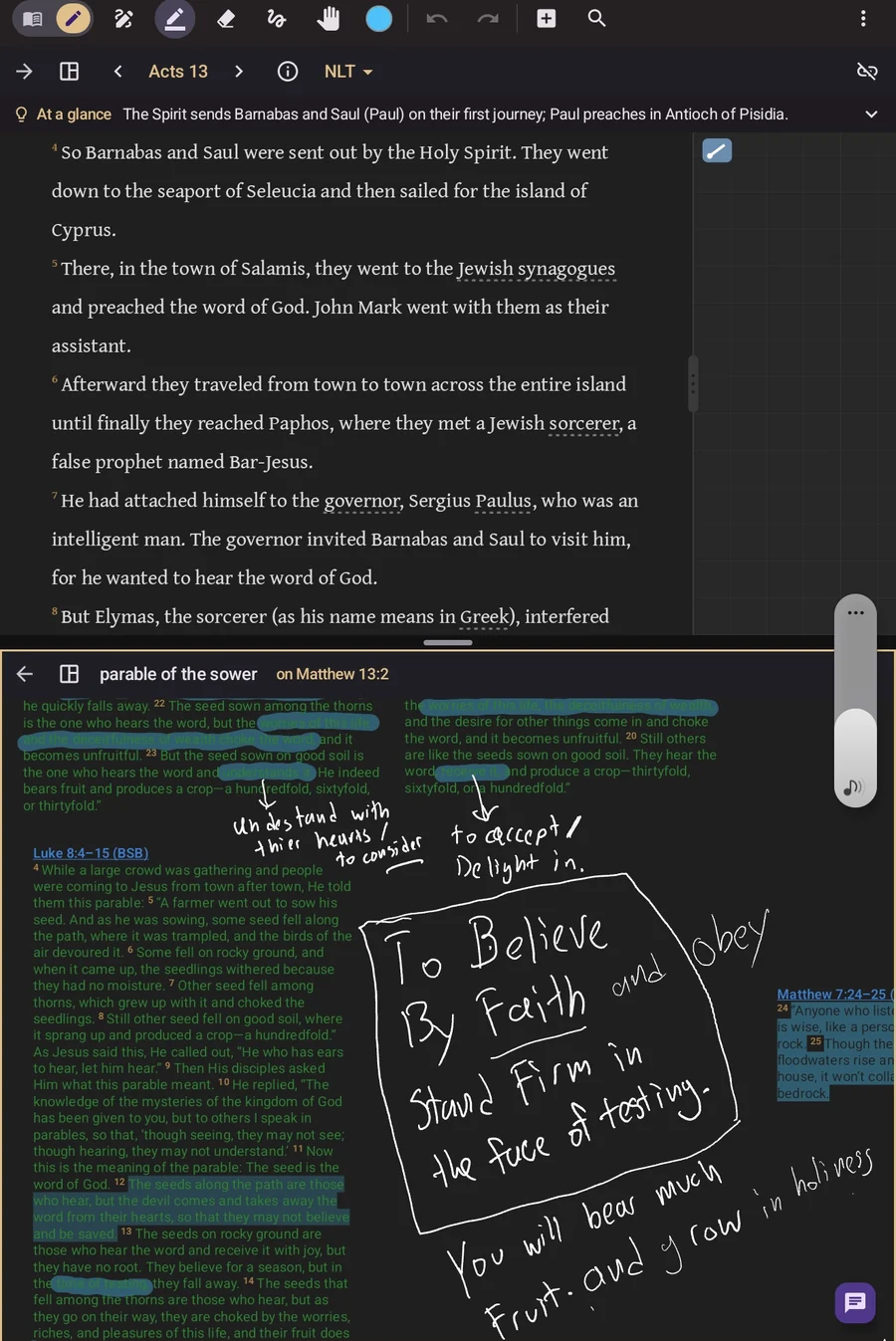 A sketch page with verse cards
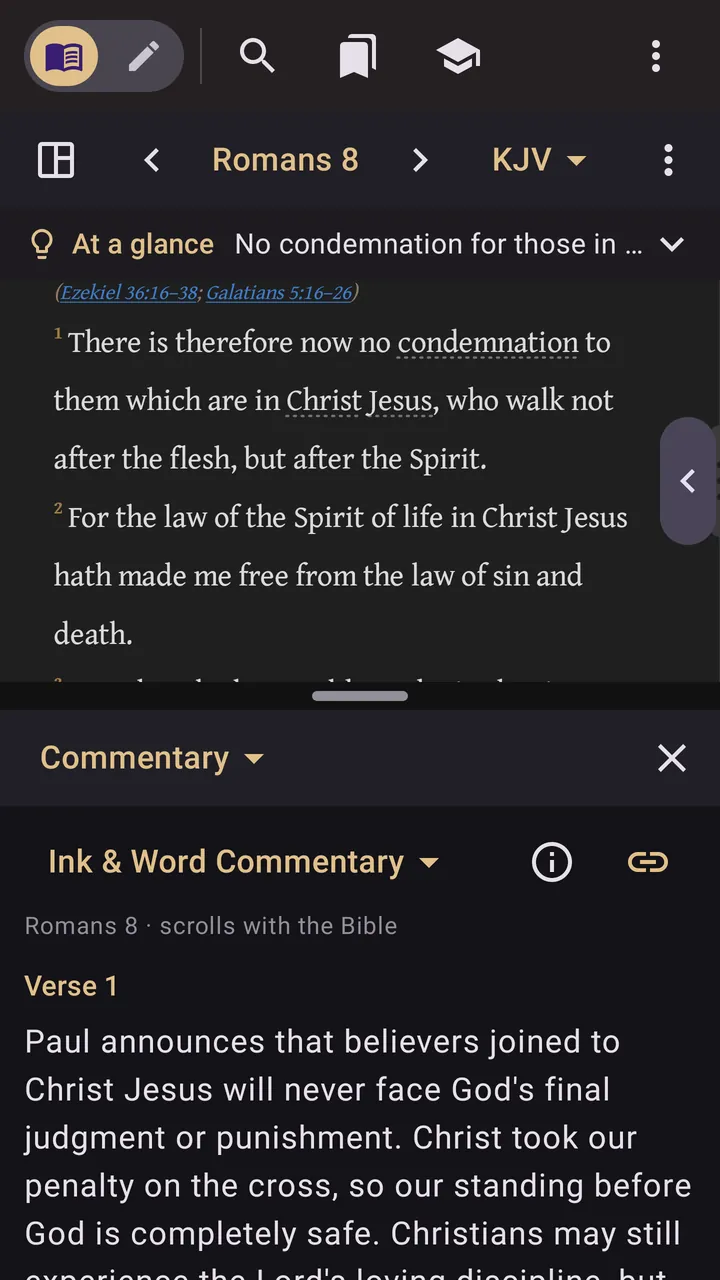 Commentary on every verse
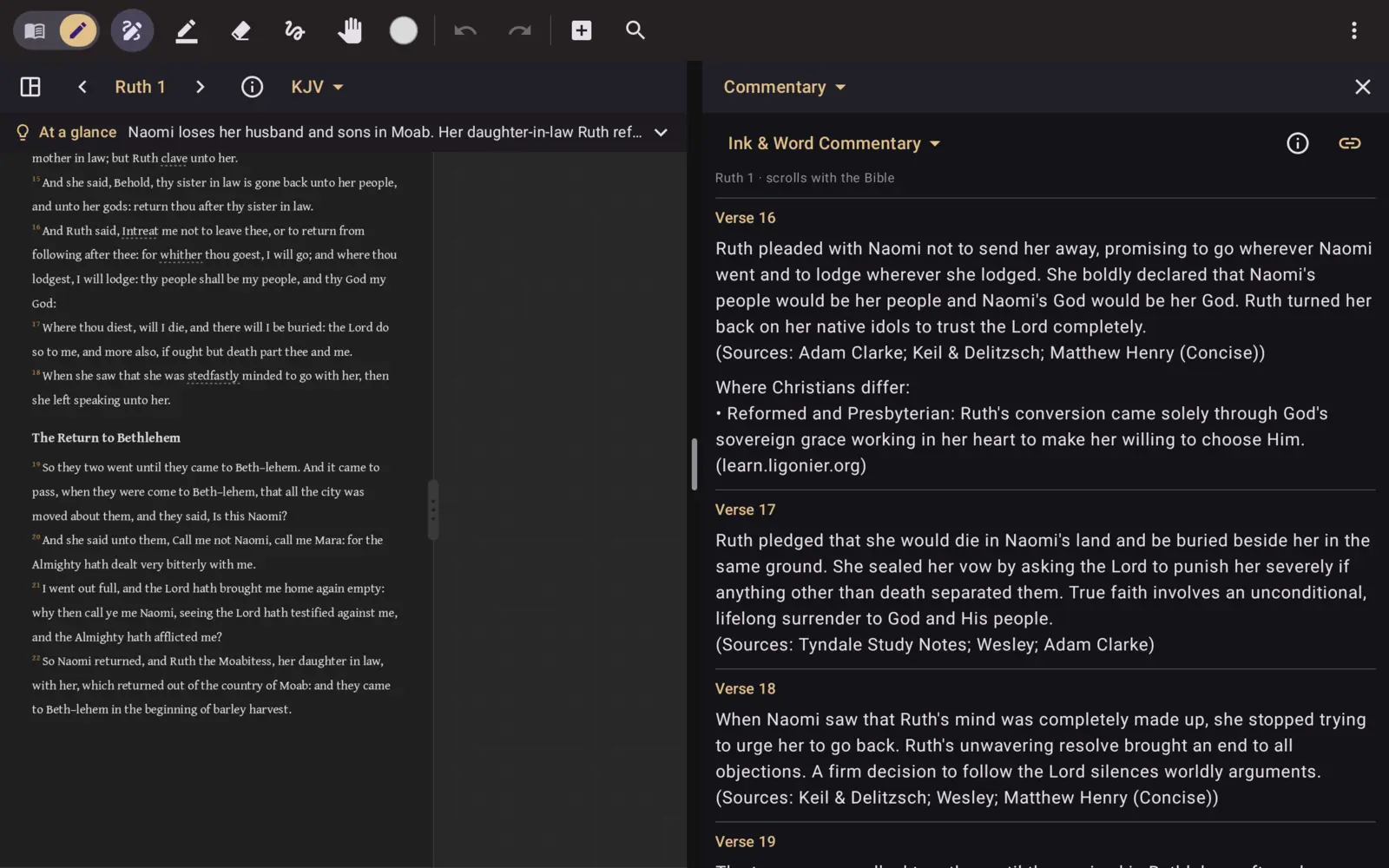 A commentary beside the passage, scrolling along
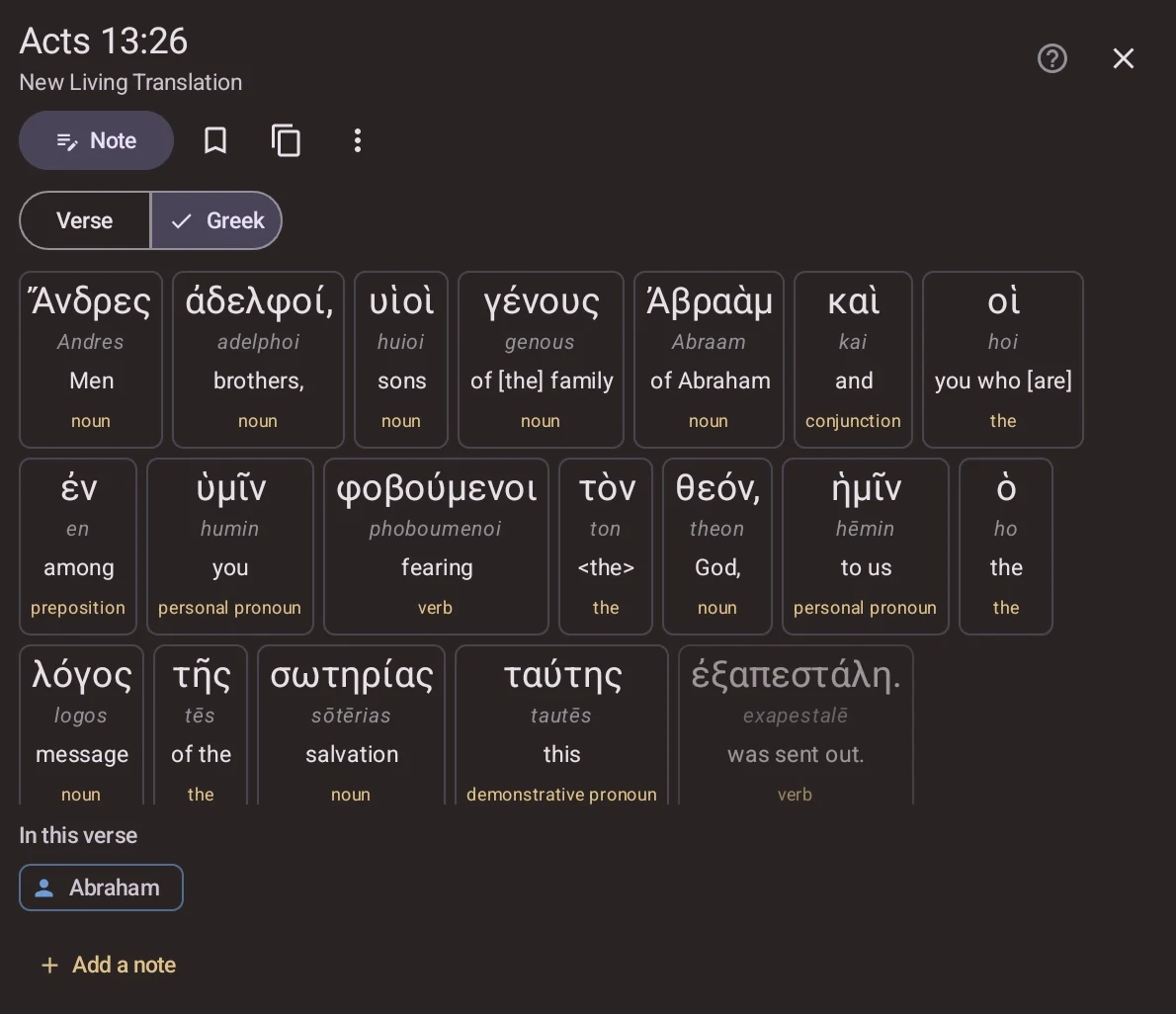 The Greek, word by word
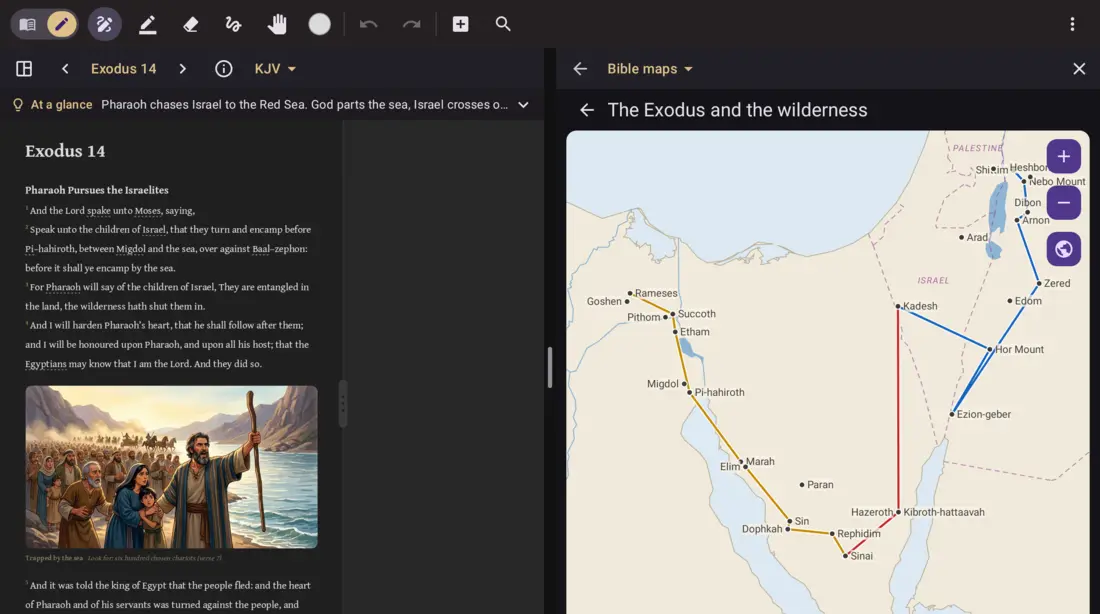 Bible maps with today's countries
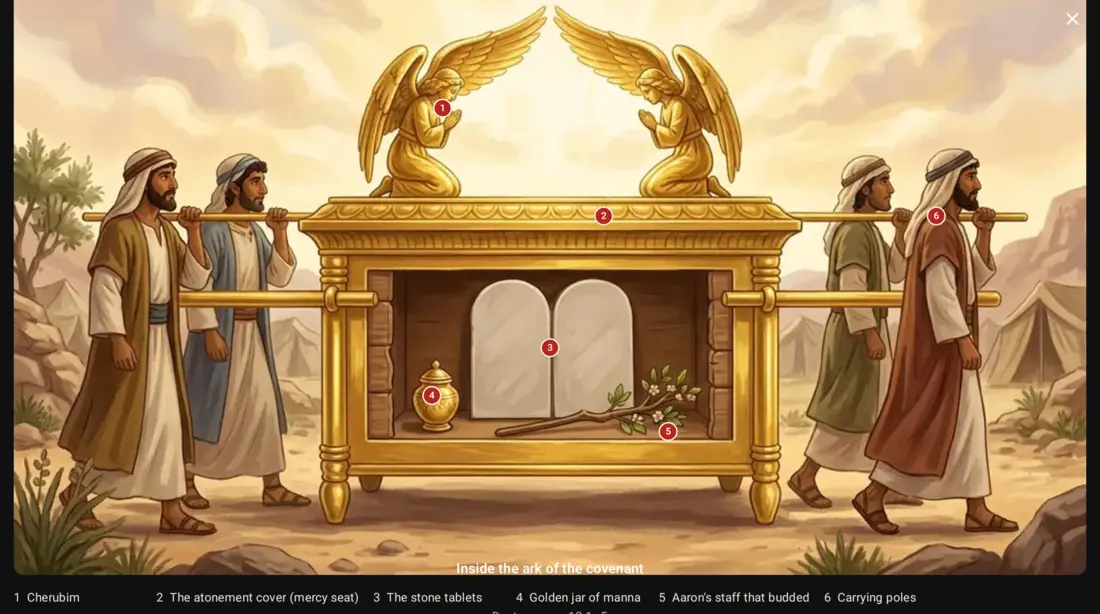 A labelled cutaway
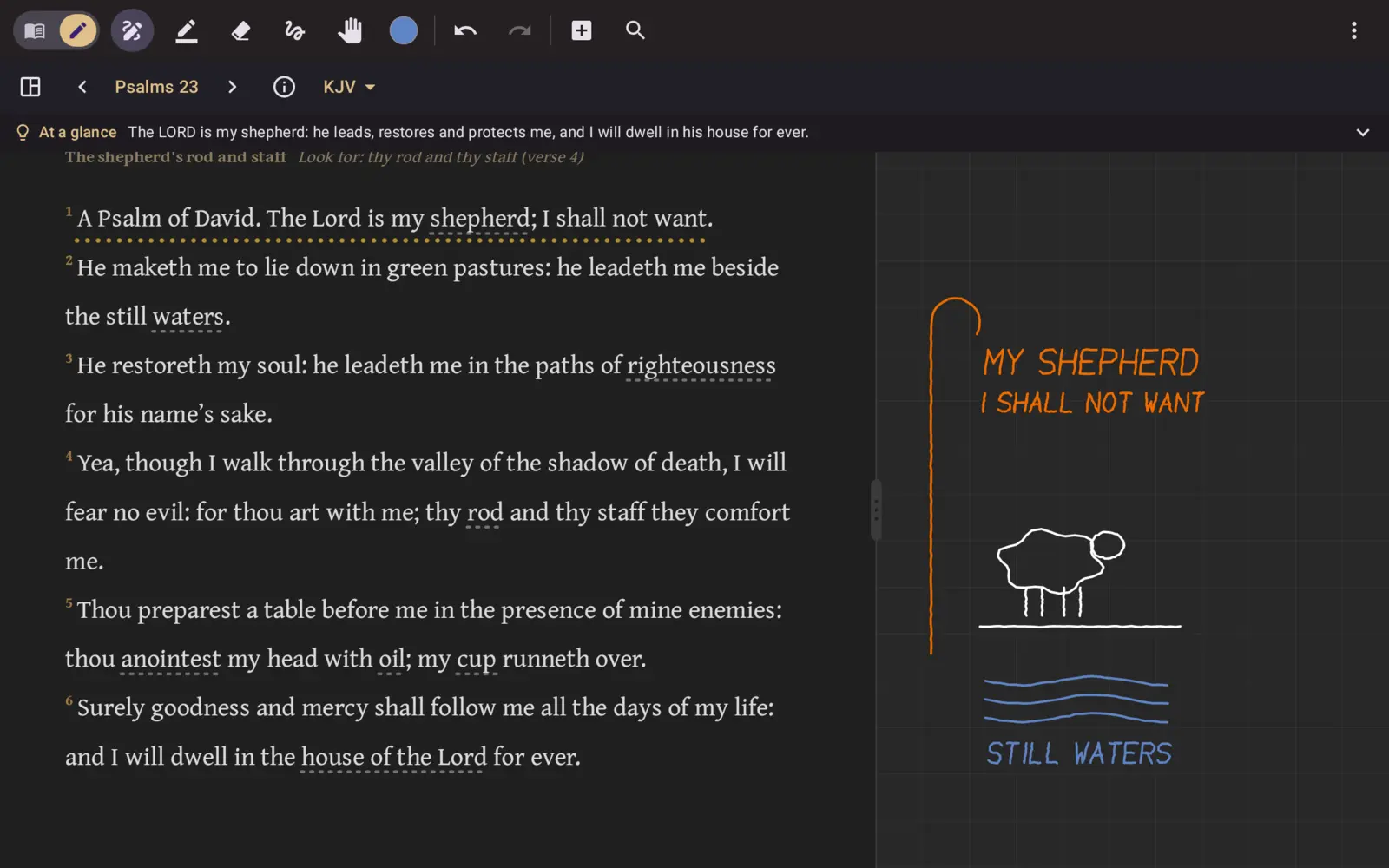 Hand-lettering Psalm 23
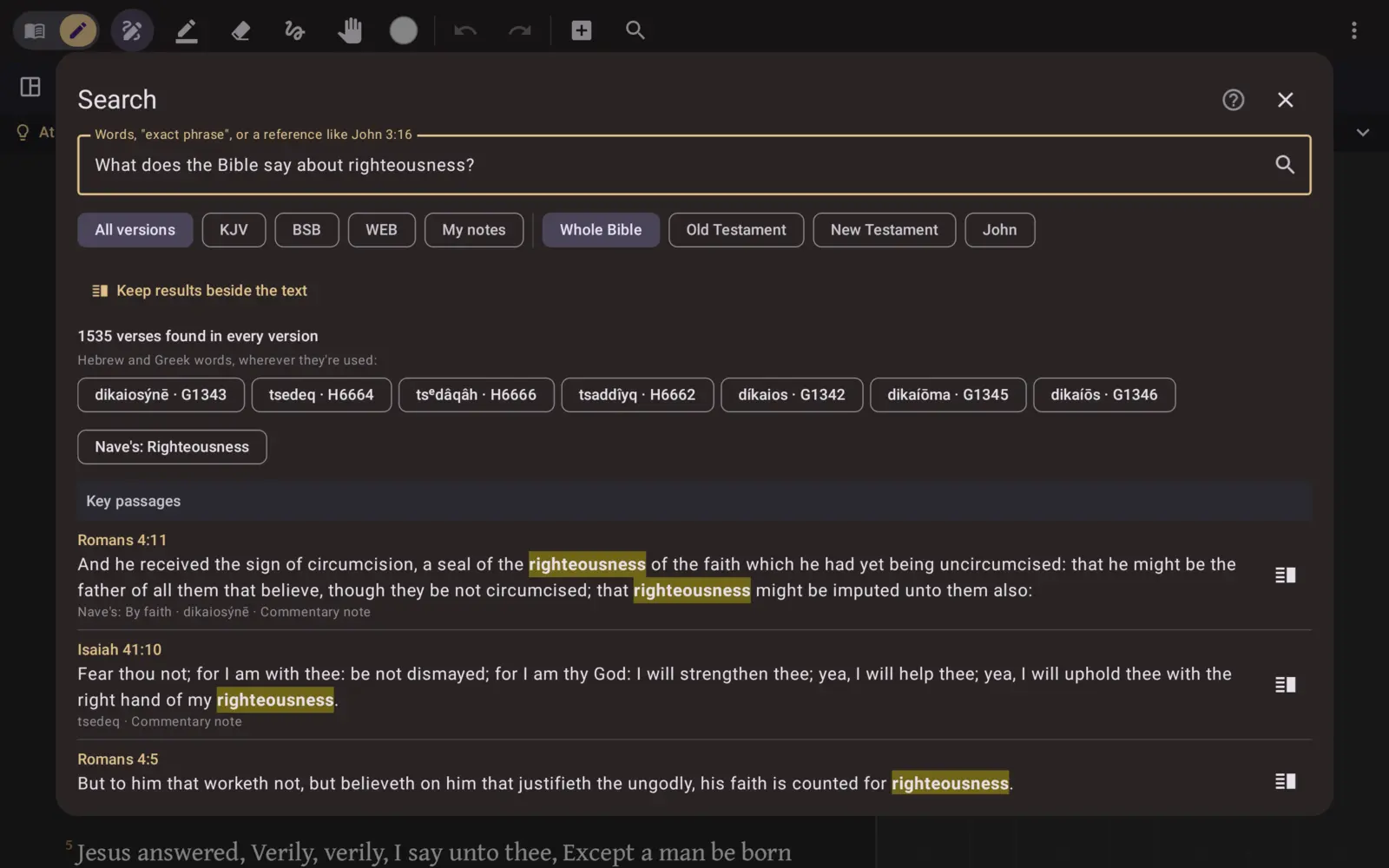 Search that understands questions
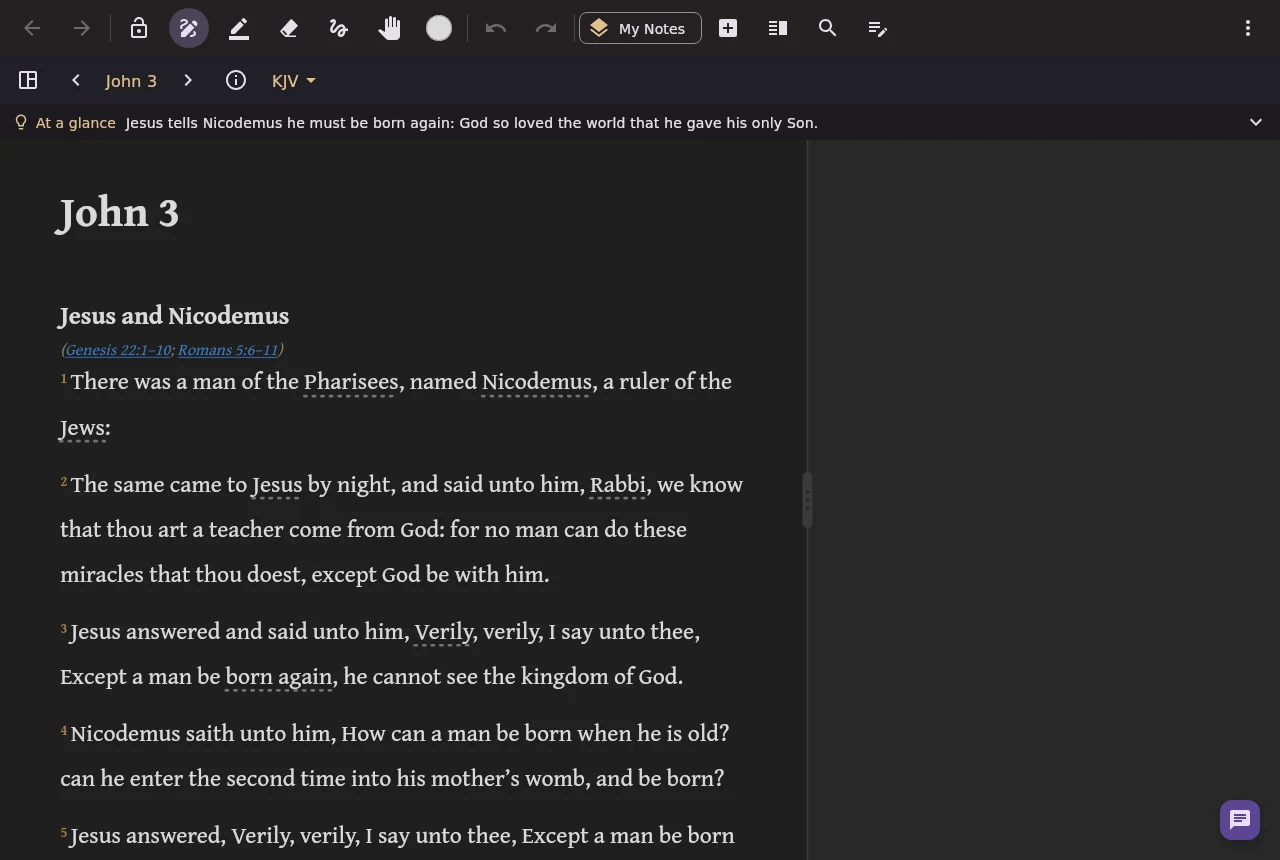 On a computer
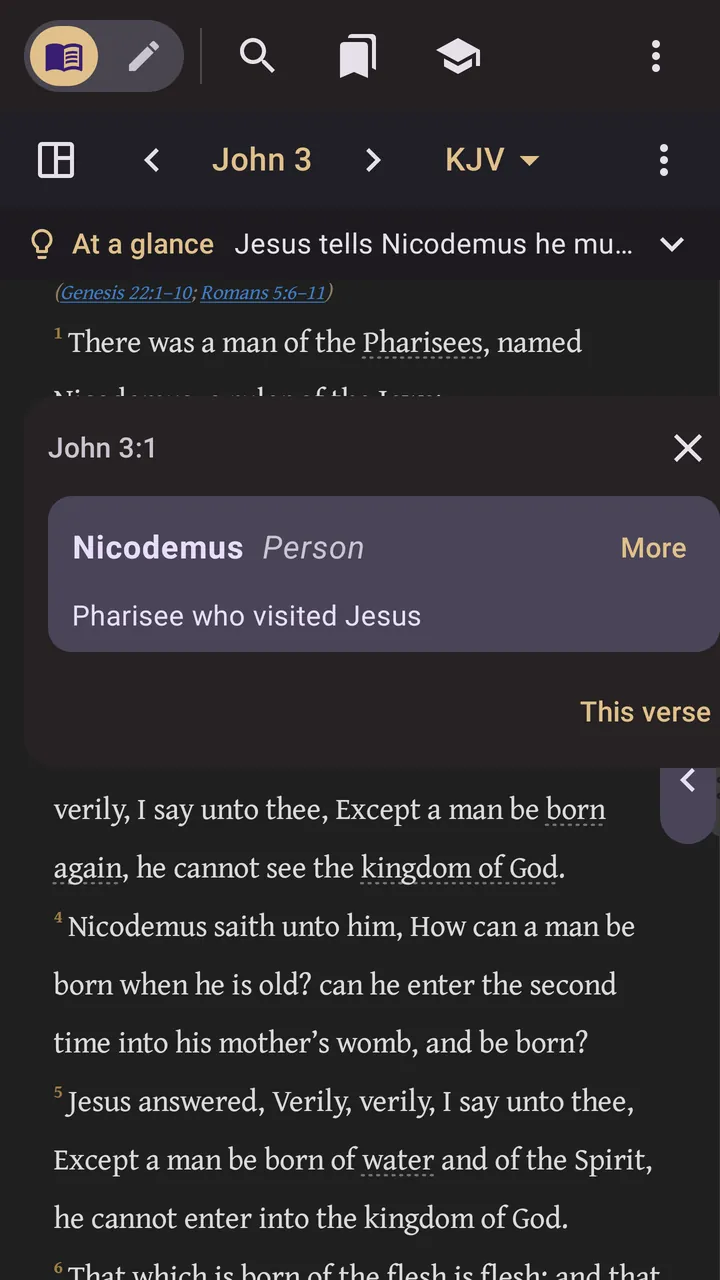 Tap a word to see what it means
The logo: logo.png · the app icon: icon.
The facts
- Price: free. No ads, no subscriptions, no in-app purchases, no account.
- Devices: iPad and iPhone (App Store), Android (Google Play), Windows, Mac and Linux (downloads).
- Writing: wide margins with a faint grid beside the text; Apple Pencil, S Pen, a finger or a mouse; pens, pencils, highlighters and layers; sketch pages below any chapter with verse cards, pictures and typed notes. Notes stay with their verse in every translation.
- Study: commentary on every verse; 24 commentaries, including Matthew Henry, Calvin, Spurgeon and the Pulpit Commentary; Hebrew and Greek word by word; more than 4,000 people and places explained as you read (Bible A–Z); a Bible dictionary, topical index, customs, feasts, maps and a timeline.
- Pictures: over 1,000 illustrations of the stories, labelled cutaways and 16 maps with today's countries.
- Offline: 100%. The Bibles, commentaries, pictures and maps are on the device. A few extras use the internet only if chosen: sync (to the user's own Google Drive) and online translations such as the ESV and NLT.
- Privacy: no server, no account. Notes stay on the device unless sync is turned on. Privacy policy.
- Languages: English, Spanish (with the Reina-Valera 1909) and Chinese, Simplified and Traditional (with the Chinese Union Version).
Things people like to show
- Lettering a verse in the margin with a pencil, then switching translations: the note stays with its verse.
- A sketch page for a passage: drop in verse cards, highlight the words that stand out, write what they mean.
- Tapping an underlined name or place while reading (try Nicodemus in John 3), then a word's Greek.
- Opening a commentary beside the chapter and watching it scroll along.
- Airplane mode on: everything still works.
Questions your audience may ask
- Is it really free? Yes, all of it. There's no paid version.
- Do I need an account? No. Open it and start reading.
- Which Bibles? The King James Version, the Berean Standard Bible and the World English Bible come with the app; the ESV, the NLT and versions from YouVersion can be read online inside it.
- Will I lose my notes if I change phones? Not with sync on (your own Google Drive), or a backup file.
- Does it need the internet? No, apart from the optional extras above.
Links to share
Linking to inkandword.app sends people to the right store for their device. If we've written to you, use the link in our email: it lets us see that people came from you, so we can thank you properly.